5.3.1 Bouncing Ball — Gravity and Collisions
Build the smallest possible physics simulation — gravity, integration, and wall collisions — and use it to feel the fundamental loop that powers every later simulation in this module.
Overview
A bouncing ball is the smallest non-trivial physics simulation. It has one moving object, one constant force (gravity), and one event type (wall collision). That is enough to require Euler integration, velocity-clamp collision response, and a per-frame loop — and those three primitives recur in every later simulation in the module, from N-body gravity to cloth dynamics. Get the bouncing ball right and you have most of the toolbox. Get it wrong — for example, by forgetting to clamp the position to the wall after a collision — and the same bug will haunt you for ten lessons. This lesson keeps the physics as small as possible so the bugs are easy to see.
Learning objectives
- Apply Euler integration with a constant gravity term —
velocity += gravity,position += velocity. - Detect wall collisions by checking each side of the canvas and respond by reflecting the velocity component.
- Use a damping factor on bounces to model inelastic collisions — energy loss per impact.
- Visualise motion with a fading trail of past positions, without storing the full history forever.
Quick start — gravity and bounce
Three lines do the physics. The first two are integration; the third is collision.
self.vy += GRAVITY
self.x += self.vx
self.y += self.vy

if self.y + self.radius > HEIGHT:
    self.y = HEIGHT - self.radius            # clamp to wall
    self.vy = -self.vy * BOUNCE_DAMPING       # reflect velocity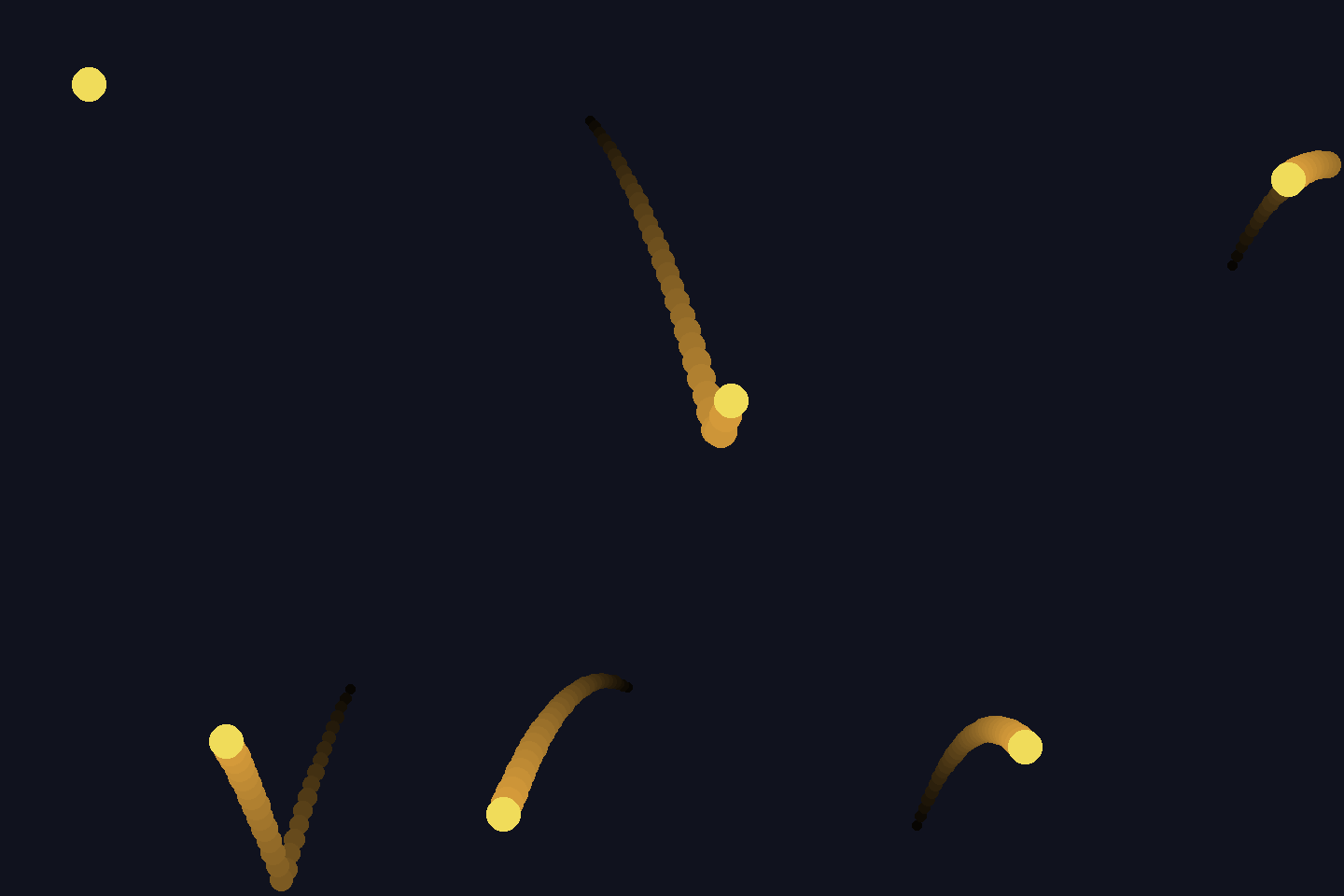
Core concepts
Concept 1 — Euler integration with constant force
Gravity is a constant force. Every frame, it adds a fixed amount to the downward velocity. Then velocity moves the position. This is Euler’s method for solving a differential equation, and it is the simplest integrator that exists.
self.vy += GRAVITY        # 1. constant force → velocity change
self.x += self.vx         # 2. velocity → position change
self.y += self.vy
Order matters slightly. The version above is semi-implicit Euler (velocity first, then position) — slightly more stable than naive Euler for systems with oscillation. Setting GRAVITY = 0.5 does not mean anything physical (it is “pixels per frame²”); we tune until the motion looks right.
Concept 2 — Collision = clamp + reflect
A naive collision check (“if y > HEIGHT, reverse vy”) has a famous bug: it lets the ball penetrate the wall before reflecting. On the next frame the ball is below the wall and vy has flipped — it should be moving up, but the same check triggers again and flips it back. The ball jitters at the wall.
The fix is to clamp first, then reflect:
if self.y + self.radius > HEIGHT:
    self.y = HEIGHT - self.radius           # 1. clamp position to wall
    self.vy = -self.vy * BOUNCE_DAMPING      # 2. reflect velocity, lose some energy
Now no matter how fast the ball was moving, it ends the frame exactly touching the wall, not penetrating it. The reflect step flips the sign of the component of velocity normal to the wall. For an axis-aligned wall that is just the relevant vx or vy.
Concept 3 — Trails by storing past positions
To show motion paths, store the last N positions in a list and draw each one with a brightness that fades into the past.
self.trail.append((self.x, self.y))
if len(self.trail) > TRAIL_LEN:
    self.trail.pop(0)

for i, (tx, ty) in enumerate(ball.trail):
    fade = (i + 1) / len(ball.trail)
    colour = tuple(int(c * fade) for c in TRAIL_COLOUR)
    draw.ellipse([tx - r, ty - r, tx + r, ty + r], fill=colour)
The trail is bounded (TRAIL_LEN is constant), the fade is linear in age, and each drawn dot can shrink as it ages too — those three knobs are everything that distinguishes a comet tail from a fairy-dust shimmer.
Exercises
Three exercises in Execute → Modify → Create order.
Run the bouncer
Download bouncing_ball.py and run it. It writes bouncing_ball.gif and a still frame.
Reflection questions
- The ball never quite stops bouncing in the GIF. With damping = 0.88, why?
- What is the difference between the ball’s behaviour with
INITIAL_VEL = (5.2, 0.0)and(0.0, 5.2)? - The trail looks like a comet tail. What would change if you appended to the trail at the start of
step()instead of the end?
Answers
Never quite stops — each bounce removes 12% of the impact’s vertical speed. After 30 bounces the ball still has 0.88^30 ≈ 2% of its original drop speed. Two hundred frames is not enough to lose all of it; in real life the ball would never stop either, just become indistinguishable from “stopped” at some scale.
Horizontal vs vertical initial velocity — (5.2, 0) is the canonical projectile motion: the ball flies sideways while gravity bends its path into a parabola. (0, 5.2) is a straight drop with a small downward kick — gravity dominates almost immediately and you see no parabola. The arc shape comes from the cross between two unrelated velocities.
Trail order — if you append at the start of step (before updating position), each frame’s trail entry would be the old position, not the new one. The trail would lag behind the ball by one frame, which usually looks wrong (the ball appears to lead its own trail). Append after the position update.
Tune the physics
Goals
- Perfectly elastic:
BOUNCE_DAMPING = 1.0. The ball bounces forever — useful for diagnosing collision bugs. - No gravity, just inertia:
GRAVITY = 0.0. Pure pool-ball motion. - Heavy ball:
RADIUS = 40, INITIAL_VEL = (3.0, 0.0). The ball fills the canvas and bounces become more frequent. - Low gravity, slow horizontal:
GRAVITY = 0.15, INITIAL_VEL = (2.5, 0.0). Moon-like — long lazy arcs.
Goal 1 — what to expect
Energy is conserved exactly. The ball bounces at the same height forever. If you see it slowing anyway, something else is leaking energy — check that you are not multiplying the velocity by anything besides BOUNCE_DAMPING.
Goal 2 — what to expect
A pool ball bouncing off the rails of an infinite billiards table. The trajectory is a polyline of straight segments because nothing curves it.
Goal 3 — what to expect
A big ball at low horizontal speed bounces left-right roughly every 1–2 seconds. With the same damping, big balls feel “slower” because their natural bounce time is longer (they cover more canvas per bounce-cycle).
Goal 4 — what to expect
Lunar arcs. The ball rises high and floats sideways for a long time before coming back down. Useful for game-feel experiments — gravity is the most powerful single knob a 2D platformer has.
Implement the physics from scratch
Use bouncing_ball_starter.py. The render loop is wired up. Three TODOs inside Ball.step() ask for gravity, integration, and the four wall collisions.
Implement
- TODO 1 — add
GRAVITYtoself.vy. - TODO 2 — advance
self.xbyself.vx,self.ybyself.vy. - TODO 3 — for each of the four walls (left, right, top, bottom), clamp the position then flip the relevant velocity with
BOUNCE_DAMPING.
Hint — the four walls
if self.x - self.radius < 0:
    self.x = self.radius
    self.vx = -self.vx * BOUNCE_DAMPING
elif self.x + self.radius > WIDTH:
    self.x = WIDTH - self.radius
    self.vx = -self.vx * BOUNCE_DAMPING

if self.y - self.radius < 0:
    self.y = self.radius
    self.vy = -self.vy * BOUNCE_DAMPING
elif self.y + self.radius > HEIGHT:
    self.y = HEIGHT - self.radius
    self.vy = -self.vy * BOUNCE_DAMPING
The elif keeps both x-walls from triggering on a single frame; same for y.
Make it your own
- Multiple balls: spawn 50 balls with random initial velocities. With no ball-ball collisions they just bounce off the walls.
- Ball-ball collisions: add a check that swaps velocities when two balls overlap. Now you have a billiard simulation.
- Sloped floor: replace the bottom wall with a diagonal line. The reflection becomes 2D (flip the normal component of velocity).
- Drag in air:
self.vx *= 0.998andself.vy *= 0.998each frame. The ball slowly stops without any wall-bounce energy loss.
Downloads
bouncing_ball.py — full reference implementation bouncing_ball_starter.py — Exercise 3 scaffoldSummary
Common pitfalls to avoid
- Reflecting velocity without clamping position. The ball penetrates the wall and the simulation jitters at the boundary.
- Adding gravity twice — once in step, once in the wall response. The ball accelerates at every bounce.
- Storing the trail forever. Memory grows linearly with simulation length.
- Drawing the trail after the ball. The ball is hidden by its own trail tail.
- Using
intfor position. Sub-pixel motion vanishes and slow balls freeze.
References
- [1] Shiffman, D. (2012). The Nature of Code, Chapter 1: Vectors. natureofcode.com
- [2] Witkin, A. (1997). Physically Based Modeling: Principles and Practice. SIGGRAPH Course Notes.
- [3] Burden, R. L., & Faires, J. D. (2015). Numerical Analysis (10th ed.), Chapter 5. Cengage Learning.
- [4] Hecker, C. (1996). Physics, the next frontier. Game Developer Magazine, October 1996. chrishecker.com/Rigid_Body_Dynamics
- [5] Harris, C. R., et al. (2020). Array programming with NumPy. Nature, 585, 357–362. doi:10.1038/s41586-020-2649-2