4.1.1 Fractal Square
Build a self-similar geometric figure with three nested calls. Watch recursion run.
Overview
Fractals are geometric patterns that repeat at large and small scales, creating infinitely complex structures from a set of simple rules. In this exercise you will generate a classic fractal using recursive square subdivision: each square contains four smaller copies of itself in its corners.
The fractal square introduces the fundamental concept of recursion in generative art — a few lines of code produce visually impressive, self-similar patterns. It is the canonical entry point before exploring more complex fractals like the Mandelbrot set.
Learning objectives
- Understand recursive function structure with base cases and recursive cases.
- Apply divide-and-conquer to generate fractal patterns.
- Visualise how recursion depth affects pattern complexity.
- Create variations by modifying recursion parameters.
Quick start — see it in action
Run this code: a pattern of nested green squares appears. Zoom into any corner and the same structure recurs.
import numpy as np
from PIL import Image

def draw_fractal_square(canvas, x_min, x_max, y_min, y_max, depth):
    # Divide the region into a 3x3 grid
    x_third = (x_max - x_min) // 3
    y_third = (y_max - y_min) // 3

    # Locate the center square within the grid
    center_x_start = x_min + x_third
    center_x_end   = x_min + 2 * x_third
    center_y_start = y_min + y_third
    center_y_end   = y_min + 2 * y_third

    # Fill the center square with green (+32 per recursion level)
    canvas[center_y_start:center_y_end, center_x_start:center_x_end, 1] += 32

    # Recurse into the four corner regions until depth reaches 0
    if depth > 0:
        draw_fractal_square(canvas, x_min,          center_x_end, y_min,          center_y_end, depth - 1)
        draw_fractal_square(canvas, center_x_start, x_max,        y_min,          center_y_end, depth - 1)
        draw_fractal_square(canvas, x_min,          center_x_end, center_y_start, y_max,        depth - 1)
        draw_fractal_square(canvas, center_x_start, x_max,        center_y_start, y_max,        depth - 1)

canvas = np.zeros((800, 800, 3), dtype=np.uint8)
draw_fractal_square(canvas, 0, 800, 0, 800, 3)
Image.fromarray(canvas).save("quickstart_fractal.png")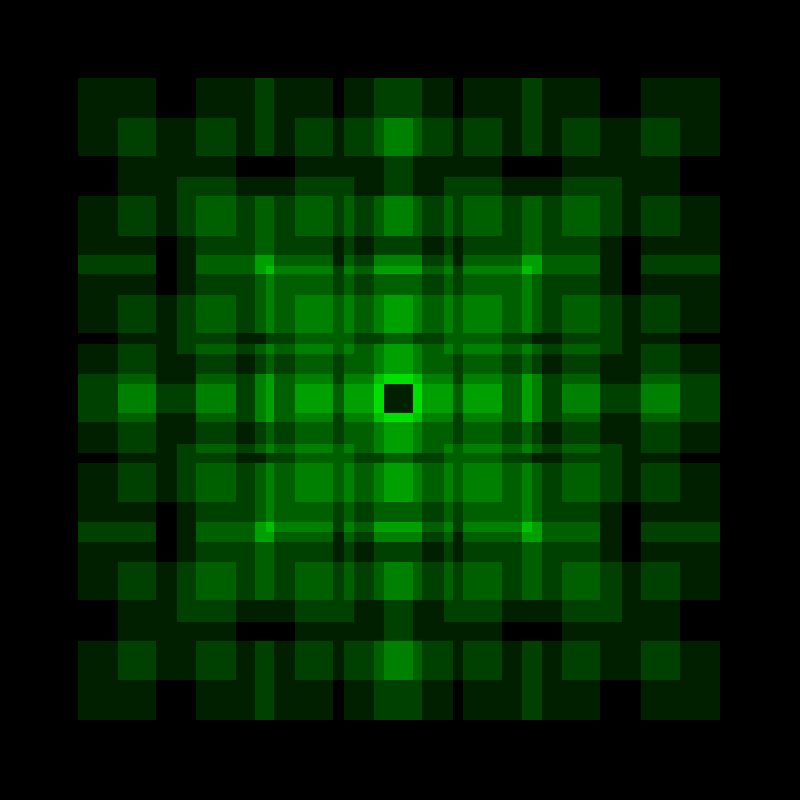
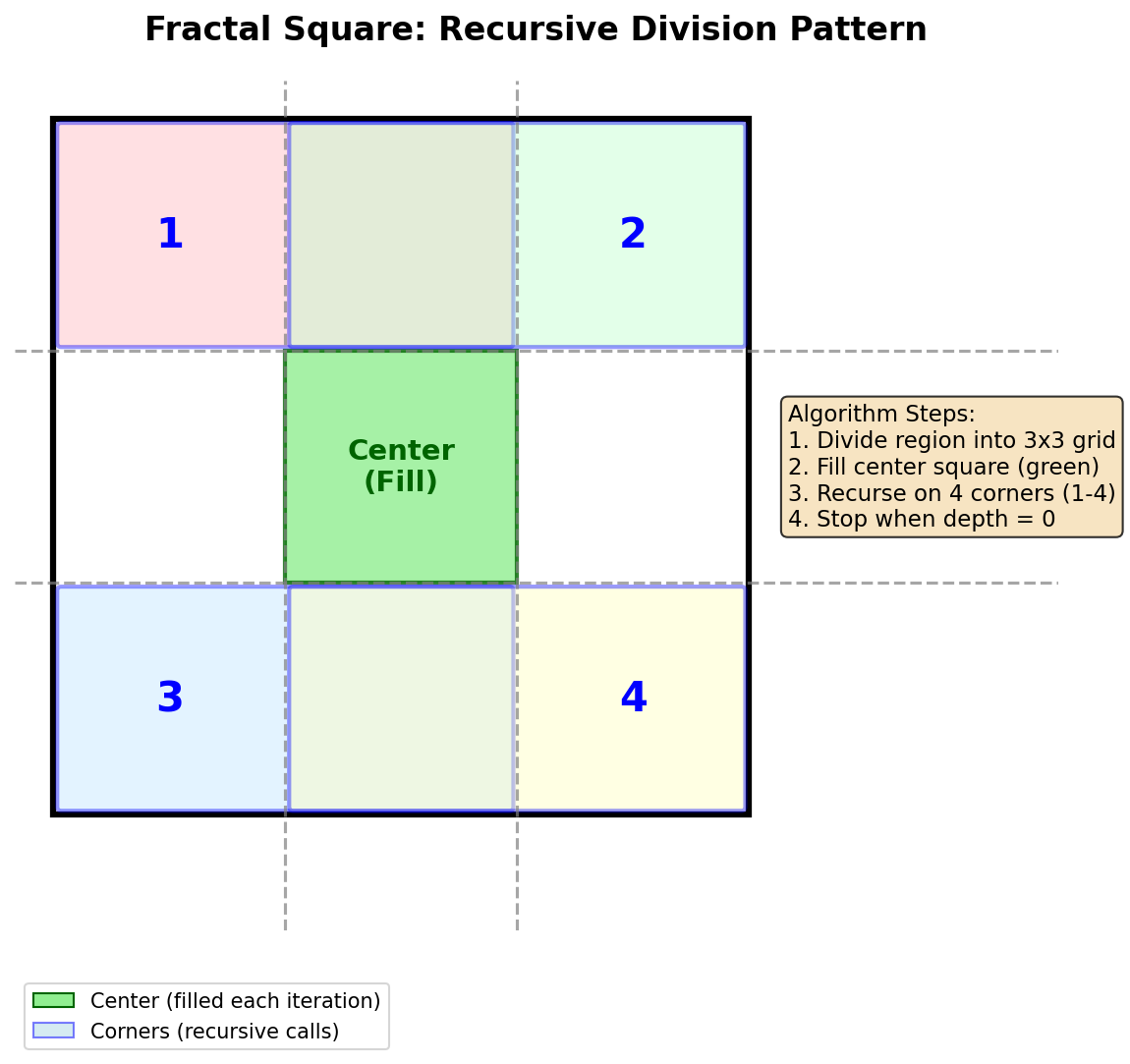
The pattern emerges by applying a simple rule repeatedly. Divide a region into nine parts, fill the center, then repeat on the four corners. Each iteration adds more detail, creating the characteristic self-similar structure.
Core concepts
Concept 1 — What are fractals?
A fractal is a geometric shape that exhibits self-similarity at different scales. When you zoom into a fractal, you see smaller copies of the same pattern repeating indefinitely. This is what makes fractals fundamentally different from ordinary shapes like circles or triangles.
Fractals appear throughout nature in surprisingly diverse forms:
- Fern leaves — each leaflet resembles the whole fern.
- Coastlines — bays contain smaller bays, which contain even smaller bays.
- Lightning bolts — branches split into smaller branches.
- Snowflakes — six-fold symmetry repeats at microscopic levels.
The mathematical study of fractals began with Benoit Mandelbrot’s work in 1975. He coined the term from the Latin fractus, meaning broken or fragmented. Fractals occupy a fractional dimension between traditional geometric dimensions. Michael Barnsley later developed the Iterated Function System (IFS) approach; Peitgen and Richter popularised fractal art through their visualisations.
Concept 2 — Recursion fundamentals
Recursion is a programming technique where a function calls itself to solve smaller instances of the same problem. Every recursive algorithm has two essential components:
- Base case — the condition that stops the recursion.
- Recursive case — the part where the function calls itself with modified parameters.
Consider our fractal-square algorithm:
def draw_fractal_square(canvas, x_min, x_max, y_min, y_max, depth):
    # Divide the region into a 3x3 grid
    x_third = (x_max - x_min) // 3
    y_third = (y_max - y_min) // 3

    center_x_start = x_min + x_third
    center_x_end   = x_min + 2 * x_third
    center_y_start = y_min + y_third
    center_y_end   = y_min + 2 * y_third

    # Action performed at each level — fill the centre
    canvas[center_y_start:center_y_end, center_x_start:center_x_end, 1] += 32

    # Base case
    if depth > 0:
        # Recursive case: one call per corner
        draw_fractal_square(canvas, x_min,          center_x_end, y_min,          center_y_end, depth - 1)
        draw_fractal_square(canvas, center_x_start, x_max,        y_min,          center_y_end, depth - 1)
        draw_fractal_square(canvas, x_min,          center_x_end, center_y_start, y_max,        depth - 1)
        draw_fractal_square(canvas, center_x_start, x_max,        center_y_start, y_max,        depth - 1)
The depth parameter acts as a countdown. Each recursive call decrements it by one; when it reaches zero, the function stops calling itself. This prevents infinite recursion and lets you control the level of detail in the final image.
Concept 3 — The fractal-square algorithm
The algorithm follows a divide-and-conquer strategy. Three steps:
Step 1 — Divide the region. The current region is divided into a 3×3 grid of nine equal rectangles. Calculate the boundaries at one-third and two-thirds of the width and height.
x_third = (x_max - x_min) // 3
y_third = (y_max - y_min) // 3

center_x_start = x_min + x_third
center_x_end   = x_min + 2 * x_third
center_y_start = y_min + y_third
center_y_end   = y_min + 2 * y_third
Step 2 — Fill the centre. Use += instead of = to create an accumulation effect. Overlapping regions become brighter because colour values stack.
# +32 on green channel — overlapping regions get brighter with each layer
canvas[center_y_start:center_y_end, center_x_start:center_x_end, 1] += 32
The value 32 is added to the green channel of each pixel. Areas filled by multiple recursion levels accumulate more colour, revealing the recursive structure visually.
Step 3 — Recurse on corners. Each corner region overlaps with the centre — this overlap creates the characteristic fractal pattern.
- Top-left —
(x_min, y_min)to(center_x_end, center_y_end). - Top-right —
(center_x_start, y_min)to(x_max, center_y_end). - Bottom-left —
(x_min, center_y_start)to(center_x_end, y_max). - Bottom-right —
(center_x_start, center_y_start)to(x_max, y_max).
Exercises
Run and observe
Run the complete script (fractal_square.py, downloadable below) and answer:
- How many distinct brightness levels can you observe in the image?
- What is the relationship between recursion depth and the number of visible squares?
- Why do some areas appear brighter than others?
Answers & explanation
- Brightness levels — four distinct levels corresponding to depths 0 through 3. The brightest areas are where all four recursion levels overlap.
- Number of squares — at depth
n, the total centre squares filled is(4^(n+1) − 1) / 3. At depth 3, that’s 85 centre squares (many overlap). - Brightness variation — areas where multiple recursion levels overlap accumulate colour. The image centre has the most overlaps because it falls within the centre region of every recursion level. Each overlap adds 32 to the green channel; maximum-brightness areas are filled 4 times (32 × 4 = 128).
Vary the depth and colour
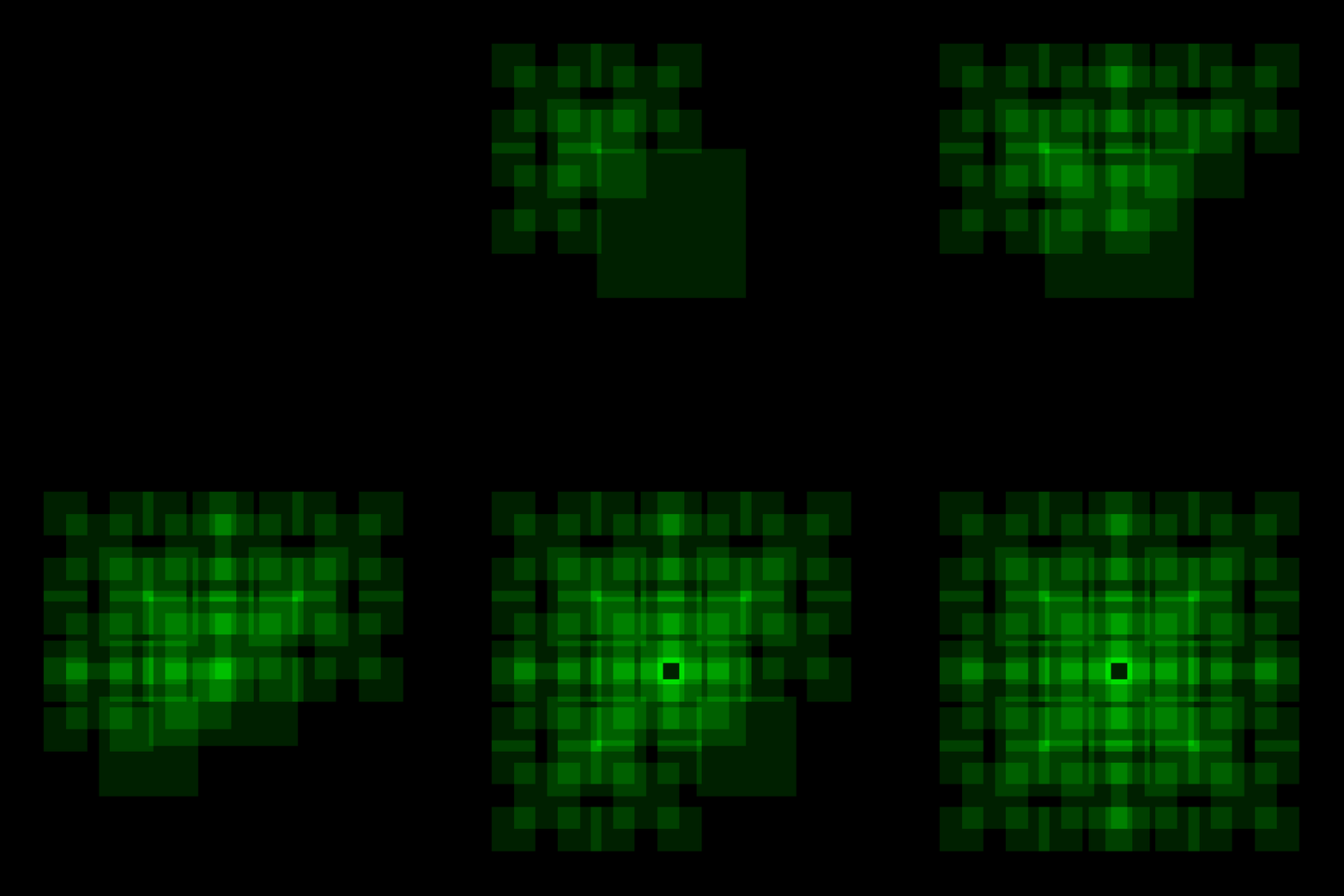
Goal 1 — Generate fractals at different recursion depths
# Reset canvas between runs!
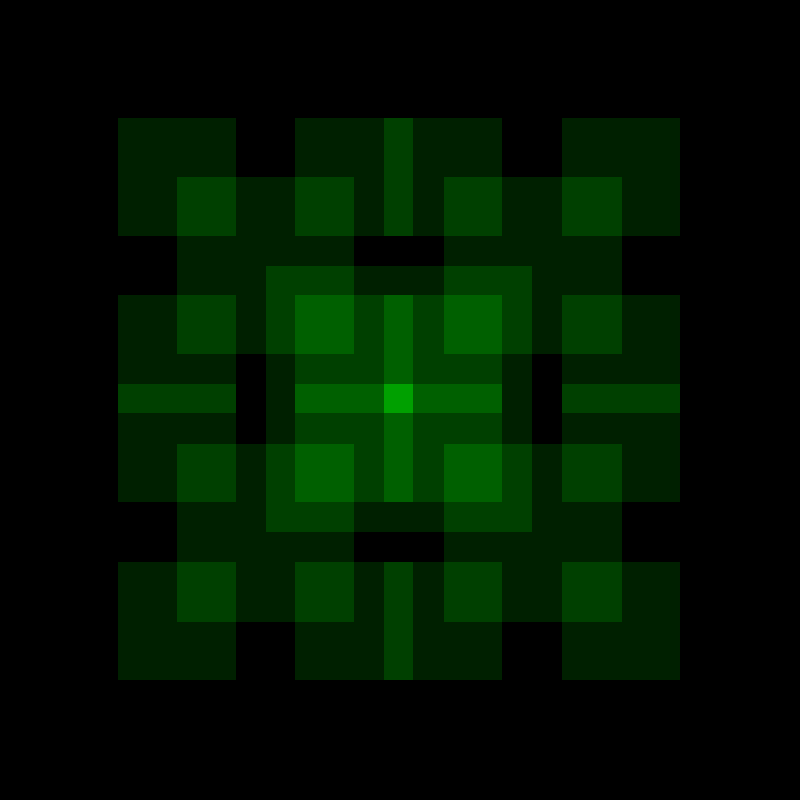
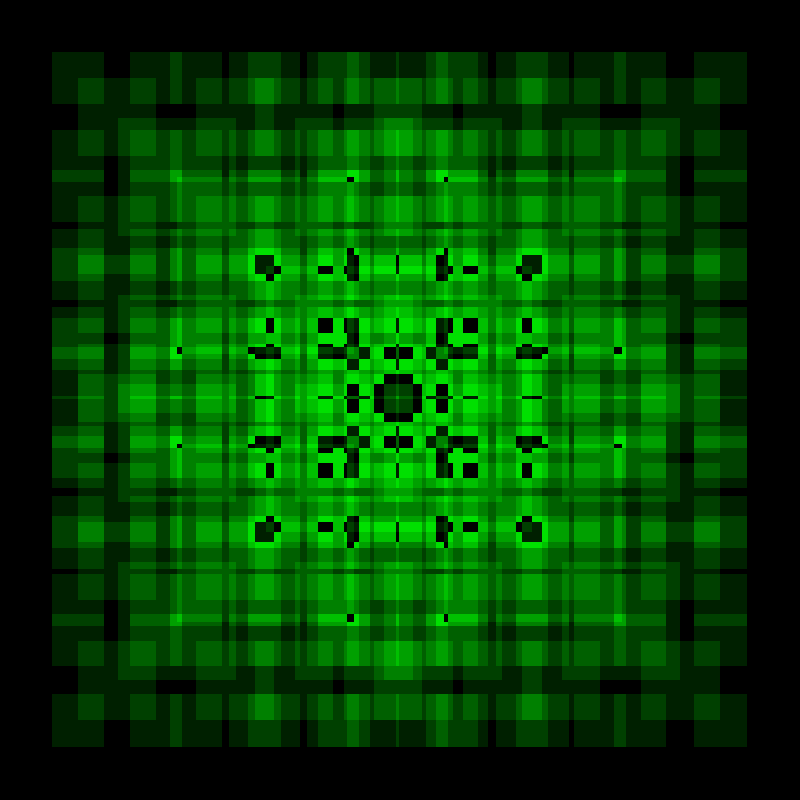
draw_fractal_square(canvas, 0, 800, 0, 800, 0)  # Single center square
draw_fractal_square(canvas, 0, 800, 0, 800, 1)  # Minimal detail
draw_fractal_square(canvas, 0, 800, 0, 800, 2)  # Moderate detail
draw_fractal_square(canvas, 0, 800, 0, 800, 3)  # Clear nested structure
draw_fractal_square(canvas, 0, 800, 0, 800, 4)  # High detail
draw_fractal_square(canvas, 0, 800, 0, 800, 5)  # Maximum detail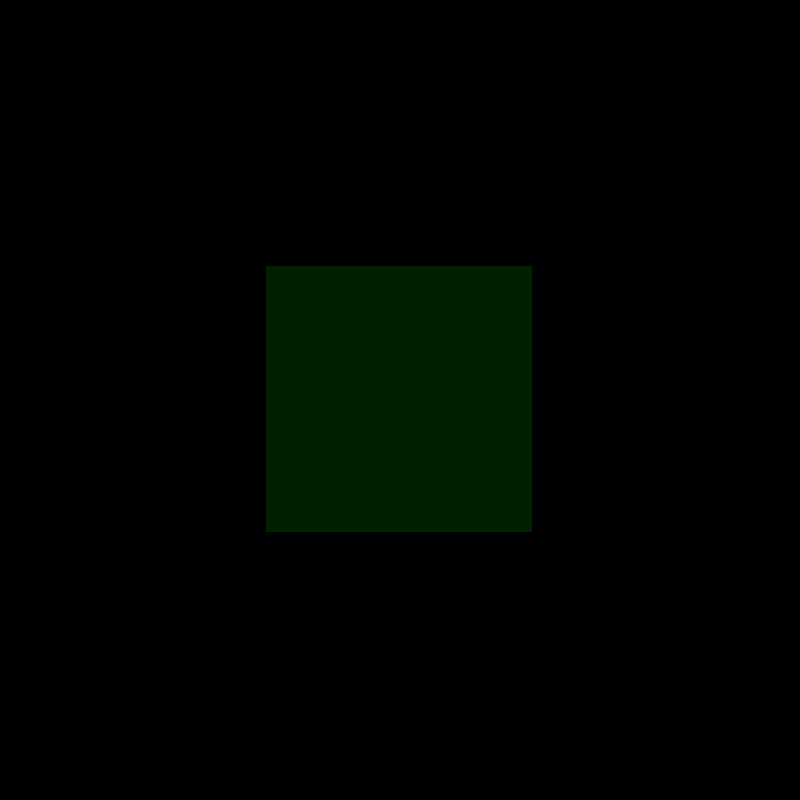
Goal 2 — Change the colour channel
# Green (original)
canvas[center_y_start:center_y_end, center_x_start:center_x_end, 1] += 32

# Red
canvas[center_y_start:center_y_end, center_x_start:center_x_end, 0] += 32

# Blue
canvas[center_y_start:center_y_end, center_x_start:center_x_end, 2] += 32

# All three at once (grayscale)
canvas[center_y_start:center_y_end, center_x_start:center_x_end, :] += 32
Hint — multi-colour fractal
Add different amounts to different channels:
canvas[center_y_start:center_y_end, center_x_start:center_x_end, 0] += 20  # Red
canvas[center_y_start:center_y_end, center_x_start:center_x_end, 1] += 32  # Green
canvas[center_y_start:center_y_end, center_x_start:center_x_end, 2] += 16  # Blue
Goal 3 — Change the increment value
# Lower → subtler, darker pattern
canvas[center_y_start:center_y_end, center_x_start:center_x_end, 1] += 16

# Higher → brighter, higher contrast
canvas[center_y_start:center_y_end, center_x_start:center_x_end, 1] += 64Implement it yourself
Complete the starter code below. The core structure is provided — fill in the four recursive calls.
Requirements
- Each corner covers a 2/3 × 2/3 region of the parent.
- The corners must overlap with the centre square.
import numpy as np
from PIL import Image

canvas = np.zeros((800, 800, 3), dtype=np.uint8)

def square(canvas, x_min, x_max, y_min, y_max, depth):
    center_x_start = x_min + (x_max - x_min) // 3
    center_x_end   = x_min + (x_max - x_min) * 2 // 3
    center_y_start = y_min + (y_max - y_min) // 3
    center_y_end   = y_min + (y_max - y_min) * 2 // 3

    canvas[center_y_start:center_y_end, center_x_start:center_x_end, 1] += 32

    if depth > 0:
        # TODO: Add four recursive calls — one per corner.
        square(canvas, ..., ..., ..., ..., depth - 1)
        ...

square(canvas, 0, 800, 0, 800, 3)
Image.fromarray(canvas).save("exercise3_fractal.png")
Complete solution
import numpy as np
from PIL import Image

canvas = np.zeros((800, 800, 3), dtype=np.uint8)

def square(canvas, x_min, x_max, y_min, y_max, depth):
    center_x_start = x_min + (x_max - x_min) // 3
    center_x_end   = x_min + (x_max - x_min) * 2 // 3
    center_y_start = y_min + (y_max - y_min) // 3
    center_y_end   = y_min + (y_max - y_min) * 2 // 3

    canvas[center_y_start:center_y_end, center_x_start:center_x_end, 1] += 32

    if depth > 0:
        square(canvas, x_min,          center_x_end, y_min,          center_y_end, depth - 1)  # Top-left
        square(canvas, x_min,          center_x_end, center_y_start, y_max,        depth - 1)  # Bottom-left
        square(canvas, center_x_start, x_max,        y_min,          center_y_end, depth - 1)  # Top-right
        square(canvas, center_x_start, x_max,        center_y_start, y_max,        depth - 1)  # Bottom-right

square(canvas, 0, 800, 0, 800, 3)
Image.fromarray(canvas).save("exercise3_fractal.png")
Challenge — depth-based gradient
Modify the colour based on the recursion depth so deeper levels have different colours.
def square_with_depth_color(canvas, x_min, x_max, y_min, y_max, depth, max_depth):
    center_x_start = x_min + (x_max - x_min) // 3
    center_x_end   = x_min + (x_max - x_min) * 2 // 3
    center_y_start = y_min + (y_max - y_min) // 3
    center_y_end   = y_min + (y_max - y_min) * 2 // 3

    level = max_depth - depth
    red   = 32 * level            # Red increases with depth
    green = 255 - 32 * level      # Green decreases with depth
    blue  = 128                   # Blue constant

    canvas[center_y_start:center_y_end, center_x_start:center_x_end, 0] = np.minimum(
        canvas[center_y_start:center_y_end, center_x_start:center_x_end, 0] + red,   255)
    canvas[center_y_start:center_y_end, center_x_start:center_x_end, 1] = np.minimum(
        canvas[center_y_start:center_y_end, center_x_start:center_x_end, 1] + green, 255)
    canvas[center_y_start:center_y_end, center_x_start:center_x_end, 2] = np.minimum(
        canvas[center_y_start:center_y_end, center_x_start:center_x_end, 2] + blue,  255)

    if depth > 0:
        square_with_depth_color(canvas, x_min,          center_x_end, y_min,          center_y_end, depth - 1, max_depth)
        square_with_depth_color(canvas, x_min,          center_x_end, center_y_start, y_max,        depth - 1, max_depth)
        square_with_depth_color(canvas, center_x_start, x_max,        y_min,          center_y_end, depth - 1, max_depth)
        square_with_depth_color(canvas, center_x_start, x_max,        center_y_start, y_max,        depth - 1, max_depth)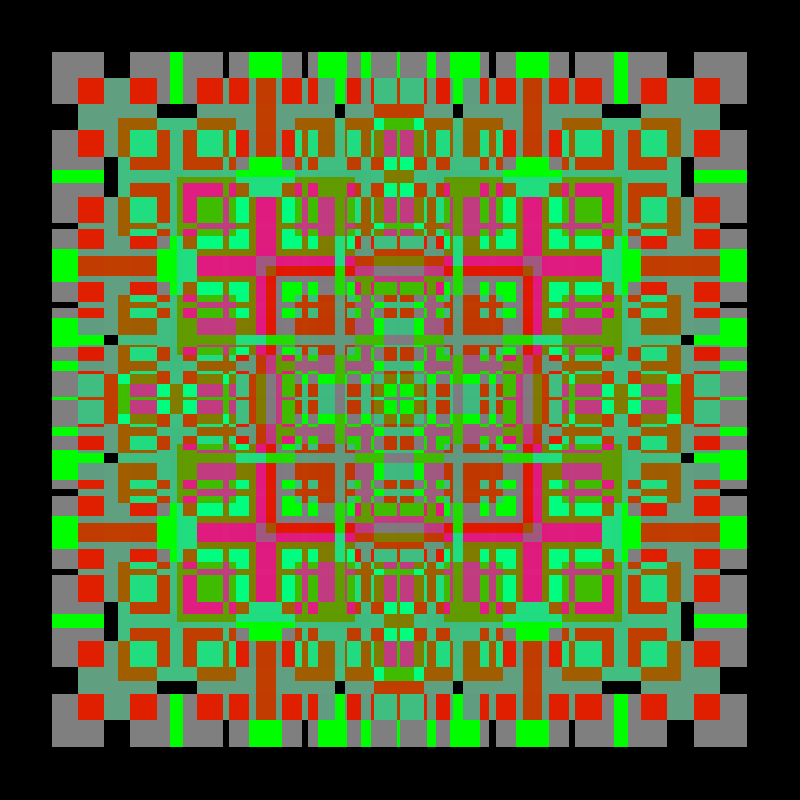
Summary
Common pitfalls
- Infinite recursion — forgetting the base case or not decrementing
depth. - Colour overflow — adding too much to a channel can exceed 255 and wrap.
- Wrong corner boundaries — each corner must cover 2/3 of the parent, not 1/3.
- Array index order — NumPy arrays use
[y, x], not[x, y].
References
- [1] Mandelbrot, B. B. (1982). The Fractal Geometry of Nature. W. H. Freeman. ISBN 978-0-7167-1186-5.
- [2] Barnsley, M. F. (1988). Fractals Everywhere. Academic Press. ISBN 978-0-12-079062-9.
- [3] Peitgen, H.-O. & Richter, P. H. (1986). The Beauty of Fractals. Springer-Verlag. ISBN 978-3-540-15851-6.
- [4] Peitgen, H.-O., Jürgens, H. & Saupe, D. (1992). Fractals for the Classroom: Part One — Introduction to Fractals and Chaos. Springer-Verlag. ISBN 978-0-387-97041-8.
- [5] Cormen, T. H., Leiserson, C. E., Rivest, R. L. & Stein, C. (2009). Introduction to Algorithms (3rd ed.). MIT Press. ISBN 978-0-262-03384-8.
- [6] Sweller, J. (1988). Cognitive load during problem solving: effects on learning. Cognitive Science, 12(2), 257–285.
- [7] Bransford, J. D., Brown, A. L. & Cocking, R. R. (Eds.). (2000). How People Learn. National Academy Press. ISBN 978-0-309-07036-2.