2.1.1 Drawing Lines
Translate continuous mathematical lines into discrete pixel grids. Use NumPy's linspace as a parametric interpolator, then iterate the same draw_line call to build sunbursts and parallel-line compositions.
Overview
A mathematical line is a continuous object — infinitely many points between two endpoints. A computer screen is a discrete grid of pixels with integer coordinates. The whole field of rasterization exists to bridge that gap, and the line is its simplest case. In this lesson you will draw lines by interpolation, then turn the same three-line draw_line function into a sunburst by varying its endpoints inside a loop. The conceptual thread — iteration plus simple rules equals emergent pattern — runs through every later lesson in this module [1].
Learning objectives
- Understand the rasterization problem: converting continuous line equations into discrete pixel coordinates.
- Implement parametric line interpolation using NumPy’s
linspace, with proper rounding before integer cast. - Recognise lines as a generative primitive — iteration over endpoints produces sunbursts, parallel bands, and radial compositions.
- Connect the algorithmic approach to the conceptual tradition of LeWitt and Molnár, where the instruction is the artwork.
Quick start — one diagonal line
import numpy as np
from PIL import Image

canvas = np.zeros((400, 400), dtype=np.uint8)

# Endpoints in (x, y) pixel coordinates
x_start, y_start = 50, 50
x_end, y_end = 350, 350

# Generate enough sample points to fill every pixel along the longer axis
num_points = max(abs(x_end - x_start), abs(y_end - y_start)) + 1

x_coords = np.linspace(x_start, x_end, num_points).round().astype(int)
y_coords = np.linspace(y_start, y_end, num_points).round().astype(int)

# Array indexing is [row, column] = [y, x]
canvas[y_coords, x_coords] = 255

Image.fromarray(canvas).save('simple_line.png')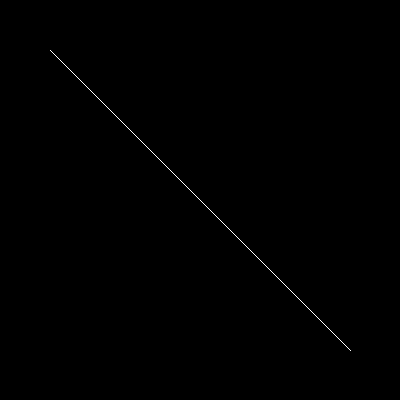
Core concepts
Concept 1 — Rasterizing a continuous line
In maths a line is the set of points satisfying $y = mx + b$, or in parametric form $(x(t), y(t))$ with $t \in [0, 1]$. Both descriptions are continuous: between any two points on the line, there are infinitely many more [2]. A screen does not work that way. It is a grid of integer-indexed cells, and a single pixel either belongs to the line or it does not.
The conversion problem — picking which discrete pixels best represent a continuous line — has a long history. Jack Bresenham’s 1965 algorithm solved it with only integer addition and bit shifts, which mattered enormously for the IBM 2250 pen plotters of the era, since those plotters had no floating-point hardware at all [3]. Modern Python does not have that constraint, so we lean on np.linspace and let NumPy handle the arithmetic.
Concept 2 — linspace as a parametric interpolator
The parametric line is the cleaner mental model:
$$P(t) = (1 - t),P_0 + t,P_1, \quad t \in [0, 1]$$
At $t = 0$ you are at the start, at $t = 1$ you are at the end, and at $t = 0.5$ you are at the midpoint. This blending operation — linear interpolation, often shortened to “lerp” — underlies most of computer graphics: animation keyframes, colour gradients, image scaling, Bézier curves [4].
NumPy’s linspace is this interpolation, applied to a single axis:
import numpy as np

# 5 evenly-spaced points from 0 to 10
points = np.linspace(0, 10, 5)
# → array([ 0. ,  2.5,  5. ,  7.5, 10. ])

# Run it on both axes to interpolate a 2D line
x_coords = np.linspace(50, 350, 301)
y_coords = np.linspace(50, 350, 301)
The output is floating-point. Pixel indices must be integers, so we round and cast: .round().astype(int). Skipping the round() is a classic source of dotted lines — astype(int) truncates rather than rounds, so 2.9 becomes 2, and a diagonal can drop pixels along the way.
Concept 3 — Lines as generative primitives
Once draw_line exists, generative art is a question of where you put the endpoints. The earliest computer artists understood this immediately. Vera Molnár wrote programs that systematically varied parameters of geometric compositions in the 1960s [5]. Sol LeWitt, working without computers, wrote instructions — “wall drawings” — that other people executed, treating the instruction set itself as the artwork [6]. Both were doing what we do here: defining a rule, then iterating it.
# A sunburst: 24 lines from a centre point to evenly-spaced angles
import numpy as np
from PIL import Image

canvas = np.zeros((400, 400), dtype=np.uint8)
cx, cy, radius = 200, 200, 180

angles = np.linspace(0, 2 * np.pi, 24, endpoint=False)
for theta in angles:
    ex = int(cx + radius * np.cos(theta))
    ey = int(cy + radius * np.sin(theta))
    n = max(abs(ex - cx), abs(ey - cy)) + 1
    xs = np.linspace(cx, ex, n).round().astype(int)
    ys = np.linspace(cy, ey, n).round().astype(int)
    canvas[ys, xs] = 255

Image.fromarray(canvas).save('sunburst.png')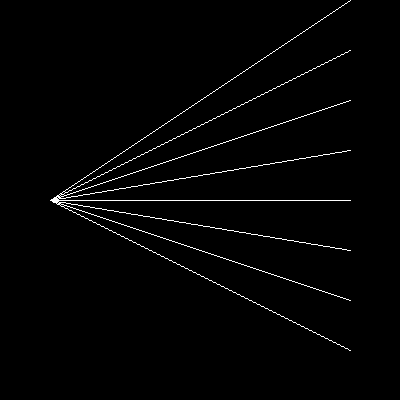
The endpoint (int(cx + radius * cos(theta)), int(cy + radius * sin(theta))) is the polar-to-Cartesian conversion. Multiplying the unit circle by radius scales it, adding (cx, cy) translates it. You are not drawing a circle — you are drawing 24 straight lines whose endpoints happen to land on a circle.
Exercises
Three exercises in Execute → Modify → Create order: run a working line script, vary its parameters, then build a sunburst from scratch.
Run the basic line drawer
Run simple_line.py exactly as written and look at the output .png it produces.
import numpy as np
from PIL import Image

canvas = np.zeros((400, 400), dtype=np.uint8)

x_start, y_start = 50, 50
x_end, y_end = 350, 350

num_points = max(abs(x_end - x_start), abs(y_end - y_start)) + 1

x_coords = np.linspace(x_start, x_end, num_points).round().astype(int)
y_coords = np.linspace(y_start, y_end, num_points).round().astype(int)

canvas[y_coords, x_coords] = 255

Image.fromarray(canvas).save('simple_line.png')
Reflection questions
- Why is
.round()necessary before.astype(int)? - Does swapping the start and end points change the picture?
- Why use
max(...)rather thanabs(x_end - x_start)alone when pickingnum_points?
Answers
.round() before .astype(int) — linspace returns floats (e.g. 50.0, 50.5, 51.0, ...). astype(int) truncates, so 50.9 becomes 50 rather than 51. On steeper diagonals this produces visible gaps. Rounding first means every interpolated value snaps to the nearest pixel.
Swapping endpoints — the picture is identical. linspace(a, b, n) and linspace(b, a, n) produce the same set of points in reverse order, and since pixel writes don’t care about order, the canvas ends up the same.
Why max — for a horizontal line you need points equal to the x-distance; for a vertical line, points equal to the y-distance; for a diagonal, the longer of the two. Using max covers all three cases. Picking the smaller axis instead would leave gaps along the longer one.
Vary the line
Edit your copy of exercise1_execute.py to produce these three pictures in turn. Change only the marked variables — keep the rest of the script the same.
Goals
- A horizontal line from
(50, 200)to(350, 200). - A vertical line from
(200, 50)to(200, 350). - Five parallel diagonal lines, each one 40 pixels below the previous.
Goal 1 — what to expect
Set y_start = y_end = 200 and leave x_start = 50, x_end = 350. The line cuts the canvas in half horizontally. num_points becomes 301 (only the x-distance contributes; y-distance is zero).
Goal 2 — what to expect
Set x_start = x_end = 200 and y_start = 50, y_end = 350. A vertical line down the centre. Same point count as the horizontal case — the formula is symmetric.
Goal 3 — what to expect
Wrap the line-drawing block inside for i in range(5): and shift both y_start and y_end by i * 40. Five evenly-spaced diagonals, parallel because their slopes (rise over run) are identical.
Solutions
Horizontal line:
x_start, y_start = 50, 200
x_end, y_end = 350, 200
Vertical line:
x_start, y_start = 200, 50
x_end, y_end = 200, 350
Five parallel diagonals:
canvas = np.zeros((400, 400), dtype=np.uint8)

for i in range(5):
    offset = i * 40
    x_start, y_start = 50, 50 + offset
    x_end, y_end = 350, 350 + offset

    num_points = max(abs(x_end - x_start), abs(y_end - y_start)) + 1
    x_coords = np.linspace(x_start, x_end, num_points).round().astype(int)
    y_coords = np.linspace(y_start, y_end, num_points).round().astype(int)

    canvas[y_coords, x_coords] = 255

Image.fromarray(canvas).save('parallel.png')Sunburst with at least 16 rays
Build a sunburst: lines radiating from the centre of the canvas to evenly-spaced points on a circle around it.
Goal: at least 16 rays from (200, 200) to points on a circle of radius 180, on a 400×400 canvas.
Approach
- Use
np.linspace(0, 2 * np.pi, num_rays, endpoint=False)to get the angles.endpoint=Falseprevents the first and last angle from landing on the same pixel. - For each angle, compute the ray endpoint with
(cx + r*cos(theta), cy + r*sin(theta)). - Reuse your
draw_linelogic — wrap it in a function if you have not already.
import numpy as np
from PIL import Image

def draw_line(canvas, x0, y0, x1, y1):
    # TODO 1: copy the linspace-based line drawing into this function
    pass

canvas = np.zeros((400, 400), dtype=np.uint8)
cx, cy = 200, 200
radius = 180
num_rays = 24

# TODO 2: generate num_rays evenly-spaced angles from 0 to 2*pi
# angles = ...

# TODO 3: for each angle, compute the endpoint (ex, ey) and call draw_line
# for theta in angles:
#     ex = ...
#     ey = ...
#     draw_line(canvas, cx, cy, ex, ey)

Image.fromarray(canvas).save('sunburst.png')
Hint 1 — generalise `draw_line`
Move the linspace/round/astype(int)/index-assignment block from earlier exercises into a function:
def draw_line(canvas, x0, y0, x1, y1):
    n = max(abs(x1 - x0), abs(y1 - y0)) + 1
    xs = np.linspace(x0, x1, n).round().astype(int)
    ys = np.linspace(y0, y1, n).round().astype(int)
    canvas[ys, xs] = 255
Hint 2 — generate angles
angles = np.linspace(0, 2 * np.pi, num_rays, endpoint=False)This produces 24 angles starting at 0 and ending just before 2*pi. Setting endpoint=False keeps 0 and 2*pi from collapsing onto the same ray.
Hint 3 — polar to Cartesian
For each angle, the ray endpoint is offset from the centre by radius units in the direction of the angle:
ex = int(cx + radius * np.cos(theta))
ey = int(cy + radius * np.sin(theta))
cos and sin together trace out a unit circle. Multiplying by radius scales it; adding (cx, cy) shifts the centre.
Complete solution
import numpy as np
from PIL import Image

def draw_line(canvas, x0, y0, x1, y1):
    n = max(abs(x1 - x0), abs(y1 - y0)) + 1
    xs = np.linspace(x0, x1, n).round().astype(int)
    ys = np.linspace(y0, y1, n).round().astype(int)
    canvas[ys, xs] = 255

canvas = np.zeros((400, 400), dtype=np.uint8)
cx, cy = 200, 200
radius = 180
num_rays = 24

angles = np.linspace(0, 2 * np.pi, num_rays, endpoint=False)
for theta in angles:
    ex = int(cx + radius * np.cos(theta))
    ey = int(cy + radius * np.sin(theta))
    draw_line(canvas, cx, cy, ex, ey)

Image.fromarray(canvas).save('sunburst.png')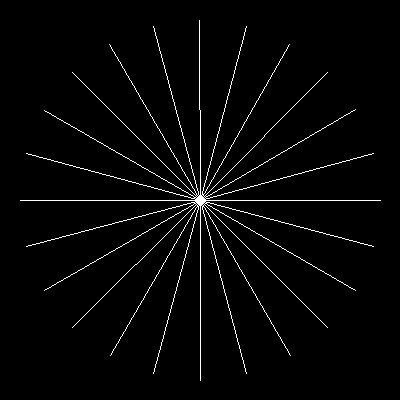
How it works:
np.linspace(0, 2*np.pi, 24, endpoint=False)gives 24 angles, none of them duplicates.- The polar-to-Cartesian conversion converts each angle into a Cartesian pixel coordinate on the circle.
draw_linedoes the samelinspacetrick from the quick start — once for each ray. The “circle” never appears in code; it is implied by where the rays terminate.
Make it your own
- Alternate between two radii (
radius = 90on odd rays,180on even) for a sharper, star-like silhouette. - Add a hue by rendering on an RGB canvas — multiply each ray’s intensity by
i / num_raysfor a colour gradient. - Increase
num_raysto 360 and the sunburst tightens into something close to a filled disc — note how rasterization aliases the rays as they converge.
Downloads
simple_line.py — Exercise 1 starter line_pattern.py — radial pattern demo sunburst_solution.py — Exercise 3 referenceSummary
Common pitfalls to avoid
- Truncating instead of rounding —
.astype(int)alone drops fractional parts, leaving dotted lines. - Swapping
(x, y)and(row, col)— NumPy indexes ascanvas[row, col], i.e.canvas[y, x]. The y-axis comes first. - Too few sample points — picking
mininstead ofmaxfornum_pointsundersamples the longer axis. - Forgetting
endpoint=Falseon angle arrays — the first and last ray collide on the same pixels. - Using
np.random.rand()(floats in 0–1) as image data — Pillow wantsuint8in 0–255.
References
- [1] Galanter, P. (2003). What is generative art? Complexity theory as a context for art theory. In Proceedings of the 6th Generative Art Conference. Politecnico di Milano.
- [2] Foley, J. D., van Dam, A., Feiner, S. K., & Hughes, J. F. (1990). Computer Graphics: Principles and Practice (2nd ed.). Addison-Wesley.
- [3] Bresenham, J. E. (1965). Algorithm for computer control of a digital plotter. IBM Systems Journal, 4(1), 25–30. doi:10.1147/sj.41.0025
- [4] Gonzalez, R. C., & Woods, R. E. (2018). Digital Image Processing (4th ed.). Pearson.
- [5] Molnár, V. (1974). Toward aesthetic guidelines for paintings with the aid of a computer. Leonardo, 7(3), 185–189. doi:10.2307/1572906
- [6] LeWitt, S. (1967). Paragraphs on conceptual art. Artforum, 5(10), 79–83.
- [7] NumPy Community. (2024). numpy.linspace. NumPy Documentation. numpy.org