8.3.1 Star Wars Titles
Build the iconic *Star Wars* opening crawl: yellow text on a starfield, projected into a receding trapezoid. Inverse perspective sampling, no shader required.
Overview
The opening crawl of Star Wars: A New Hope (1977) is one of the most recognisable shots in cinema. Yellow capitalised text floats up into deep space, receding into a vanishing point so the lines at the top of the screen are smaller and closer together than the lines at the bottom. The technical achievement is not the typeface — it’s the perspective projection. The original 1977 sequence was shot on an animation stand with a paper crawl card pulled physically across a glass plate; modern recreations are a few lines of NumPy.
The trick is to invert the perspective transformation: for every pixel (x, y) on the output screen, compute the corresponding pixel (x0, y0) in the input text bitmap. Run the computation once at startup; reuse the index arrays every frame; scroll the text by shifting y0. The math comes from the optics of a tilted plane viewed from a fixed observer — geometry the medieval Italian painters worked out by hand in the 15th century [1].
Learning objectives
- Derive the perspective transformation: a tilted plane projected through a single-point pinhole.
- Implement inverse perspective sampling: for each output pixel, look up its source pixel in a tall unprojected bitmap.
- Precompute index arrays so the per-frame work is just fancy-indexing — no trigonometry in the hot loop.
- Add a starfield background and composite the projected text over it to recreate the iconic look.
Quick start — perspective scroll
import numpy as np
from PIL import Image, ImageDraw, ImageFont

XSIZE, YSIZE = 720, 480
PERSPECTIVE_C = 220

def prepare_perspective(c=PERSPECTIVE_C):
    indices = {}
    xx = np.arange(XSIZE)
    for yy in range(1, YSIZE):
        y = 1 - yy / YSIZE                           # 0 at bottom, 1 at top
        y0 = int(-y * c / (y - 1))                   # source row offset
        x_off = xx - XSIZE // 2
        x_src = (x_off - x_off * y / (y - 1)).astype(int) + XSIZE // 2
        valid = (x_src >= 0) & (x_src < XSIZE)
        indices[yy] = (y0, x_src[valid], xx[valid])
    return indices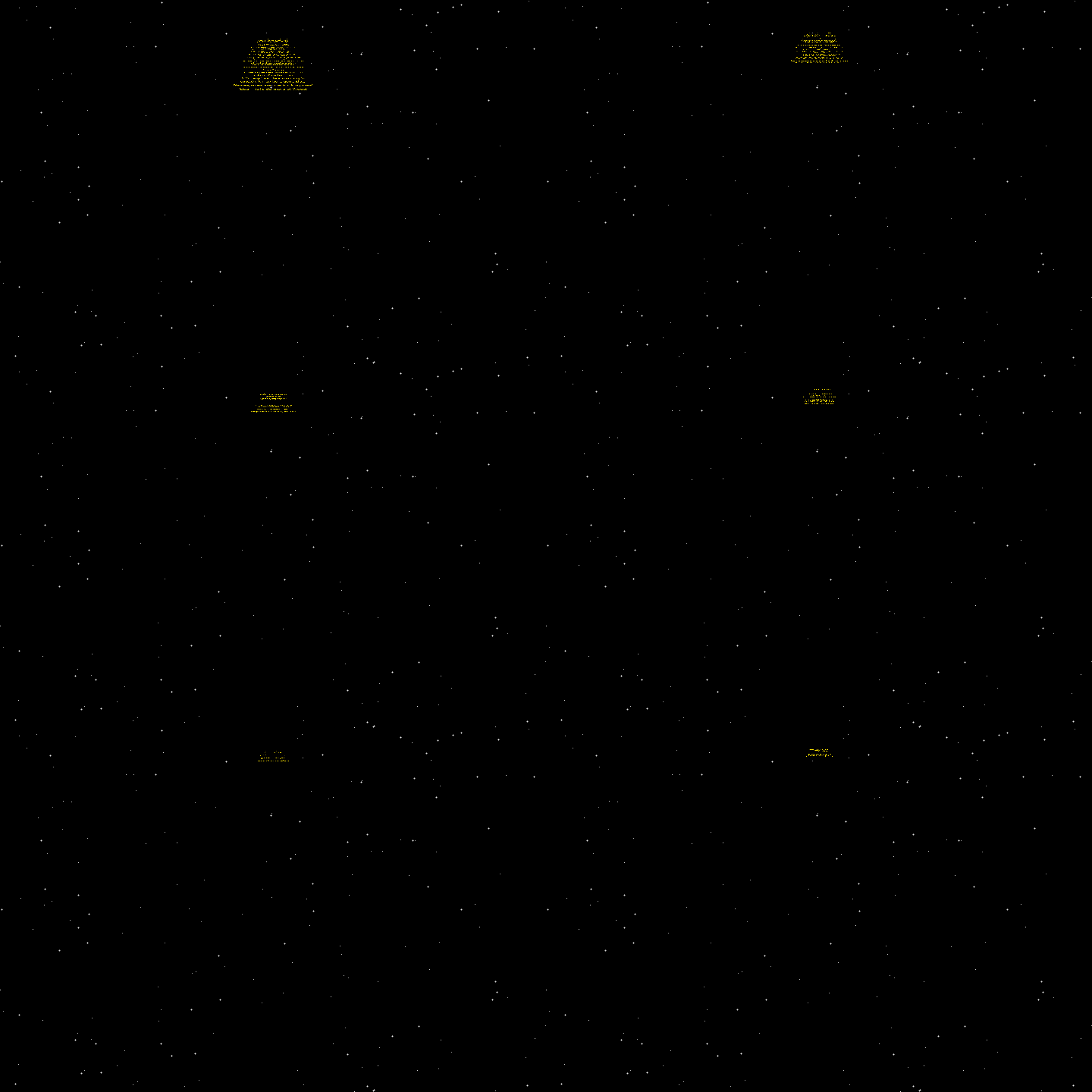
Core concepts
Concept 1 — The perspective transformation
A tilted plane viewed through a pinhole produces lines that converge toward a vanishing point. The mathematics: for a vertical screen coordinate $y$ in $[0, 1]$ (with $0$ at the vanishing point at the top of the screen and $1$ at the bottom), the source row $y_0$ on the unprojected text is
$y_0 = -y \cdot c / (y - 1)$
where $c$ is a constant controlling the “depth” of the scene. Larger $c$ makes the trapezoid taller; smaller $c$ makes it flatter. Picking $c \approx 200$ gives the classic Star Wars trapezoid aspect ratio.
The horizontal source coordinate scales similarly: pixels at the edge of the screen pull toward the centre as we move up the trapezoid. The full formula:
$x_0 = x_c - x_c \cdot y / (y - 1)$, where $x_c = x - W/2$ is the centred horizontal pixel coordinate.
Concept 2 — Inverse sampling beats forward projection
Two approaches to mapping pixels through a perspective:
- Forward: for each source pixel
(x0, y0), compute(x, y)on screen. Sets up gaps and overlapping pixels. - Inverse: for each output pixel
(x, y), compute the source(x0, y0). Always paints every visible pixel exactly once.
Inverse is the standard graphics-pipeline approach for any non-trivial coordinate transform — used in every texture sampler in every shader. Forward sampling is faster for sparse transforms (line drawing, particle render) but produces gaps for any zoom or perspective.
# For each screen row yy in 1..YSIZE:
#   compute y0 = source row index
#   compute x0_array = source columns for each screen column
# frame[yy, valid_x] = msg[y0, x0_array[valid]]Concept 3 — Precomputing the index arrays
For every output row yy, the source row index y0 is the same every frame — only the scroll offset changes. So precompute a dictionary mapping yy → (y0, source_x_indices, screen_x_indices). The frame loop becomes:
indices = prepare_perspective()
for f in range(N_FRAMES):
    frame = starfield.copy()
    ofs = f * scroll_per_frame
    for yy, (y0, src_x, dst_x) in indices.items():
        src_y = ofs - y0 + text_h - YSIZE
        if 0 <= src_y < text_h:
            frame[yy, dst_x] = msg[src_y, src_x]
    frames.append(Image.fromarray(frame))
This loop runs at hundreds of FPS on a modern machine: every operation is a NumPy fancy-index. No cos/sin/atan per frame — the geometry was solved once during setup.
Exercises
Three exercises in Execute → Modify → Create order: run the scroll, sweep parameters, then add a starfield with twinkling.
Render the perspective crawl
Run starwars.py. The script generates the yellow text bitmap, computes the perspective indices, and renders 120 frames.
Reflection questions
- Why is the perspective constant
c = 220? What does increasingcto 400 or decreasing to 100 do? - The line
y = 1 - yy / YSIZEflips the y-axis. Why? - The text bitmap is 2400 px tall but the screen is 480 px. Why so much taller?
Answers
Perspective constant — c controls how aggressively lines converge toward the vanishing point. c = 220 produces a Star Wars-like steep trapezoid. c = 400 gives a milder, more gradual recession (text doesn’t shrink as much). c = 100 produces a nearly degenerate triangle where text shrinks to nothing very quickly.
Y-axis flip — Pillow’s image coordinates have $y = 0$ at the top. Our perspective formula assumes $y = 0$ at the vanishing point (top of screen) and $y = 1$ at the viewer (bottom of screen). The flip aligns the two conventions.
Text bitmap height — the perspective compression means the visible 480-pixel screen samples from a much taller source bitmap. The top 1/3 of the visible screen samples thousands of rows compressed into 160 pixels; the bottom 1/3 samples a few hundred rows. Total height needed: text length + scroll travel + perspective compression overhead. 2400 px is comfortable headroom for an 80-line text.
Sweep the perspective parameters
Two variants of the crawl.
Goals
- Steeper trapezoid. Reduce
cfrom 220 to 80. The trapezoid will be sharper. - Different text. Replace
message.txtwith your own paragraph. Try a quote or song lyric. Re-render.
Goal 1 — what to expect
The text disappears very quickly into the vanishing point. Useful for opening crawls that feel more “abyss-like” (sci-fi horror) than the classic Star Wars trapezoid.
Goal 2 — what to expect
The crawl works with any text. Custom text is the canonical way to use this effect for your own opening sequences. Tip: keep lines under 50 characters wide so they fit in the trapezoid.
Add a twinkling starfield
The starfield is static. Add per-frame brightness variation so individual stars twinkle — a tiny detail that adds enormous atmosphere.
import numpy as np
from PIL import Image

def make_twinkling_starfield(seed, frame, n_stars=180, xsize=720, ysize=480):
    rng = np.random.default_rng(seed)
    field = np.zeros((ysize, xsize, 3), dtype=np.uint8)

    # TODO 1: generate star positions (same for all frames)
    # ys, xs, base_b = ...

    # TODO 2: per-frame brightness offset
    # twinkle = sin(frame * 2 * pi / 60 + phase_per_star) * 30
    # actual_b = clip(base_b + twinkle, 100, 255)

    # TODO 3: write stars at (ys, xs) with brightness actual_b
    return field
Hint 1 — fixed positions, varying brightness
ys = rng.integers(0, ysize, n_stars)
xs = rng.integers(0, xsize, n_stars)
base_b = rng.integers(140, 255, n_stars)
phases = rng.uniform(0, 2 * np.pi, n_stars)
Generate positions and phases once (seed-determined), then use them every frame.
Hint 2 — sine modulation
twinkle = np.sin(frame * 2 * np.pi / 60 + phases) * 40
actual_b = np.clip(base_b + twinkle, 80, 255).astype(np.uint8)
field[ys, xs] = np.stack([actual_b] * 3, axis=-1)
Each star has its own phase offset, so the field reads as natural twinkling rather than uniform pulsing.
Complete solution
The full solution swaps make_starfield() for make_twinkling_starfield(seed, frame) inside the frame loop. The stars now twinkle independently, giving a more cinematic atmosphere. Cost: zero extra runtime per frame thanks to vectorised NumPy indexing.
Make it your own
- Scroll easing. Apply an ease-out-cubic to the scroll position so the crawl decelerates near the end. Useful for “and that’s the end of the story” pacing.
- Camera tilt. Tilt the trapezoid left or right by skewing
x_src. Cinematic “looking through the cockpit” feel. - Sound effect. Play a low brass sting or fanfare alongside the GIF — the audio context dramatically amplifies the perception of recession.
Downloads
starwars.py — perspective crawl renderer message.txt — Zen of Python textSummary
Common pitfalls to avoid
- Forward projection. Trying to project source onto screen produces gaps and overlaps. Always go inverse.
- Per-frame index computation. Recomputing the perspective indices every frame is 100× slower than necessary. Compute once, reuse.
- Too-small text bitmap. If the bitmap doesn’t have enough vertical headroom, the scroll runs out of content. Always size it generously (2-3× screen height + total scroll distance).
- Wrong y-axis convention. Mixing screen-y (top-down) with mathematical-y (bottom-up) is the most common bug in any perspective code. Pick one and stick with it.
References
- [1] Kemp, M. (1990). The Science of Art: Optical Themes in Western Art from Brunelleschi to Seurat. Yale University Press. ISBN 978-0-300-04337-8.
- [2] Rinzler, J. W. (2007). The Making of Star Wars: The Definitive Story Behind the Original Film. Del Rey. ISBN 978-0-345-49476-4.
- [3] Foley, J. D., van Dam, A., Feiner, S. K., & Hughes, J. F. (1990). Computer Graphics: Principles and Practice (2nd ed.). Addison-Wesley. ISBN 978-0-201-12110-0.
- [4] Akenine-Möller, T., Haines, E., Hoffman, N., et al. (2018). Real-Time Rendering (4th ed.). CRC Press. ISBN 978-1-138-62700-0.
- [5] Hartley, R., & Zisserman, A. (2003). Multiple View Geometry in Computer Vision (2nd ed.). Cambridge University Press. ISBN 978-0-521-54051-3.
- [6] Pearson, M. (2011). Generative Art: A Practical Guide Using Processing. Manning. ISBN 978-1-935182-62-5.
- [7] Gonzalez, R. C., & Woods, R. E. (2018). Digital Image Processing (4th ed.). Pearson. ISBN 978-0-13-335672-4.